
DMD2
DMD NavigationMaps & Navigation
3.977.00 Reviews
- Version
- 3.00282
- Installs
- 100.00K
- Age Rating
- Everyone
Screenshots
Our Review of DMD2
 Analysis by Appyee
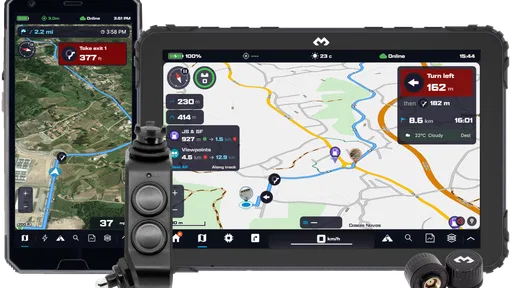
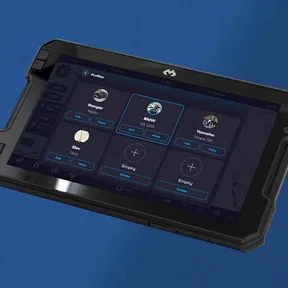
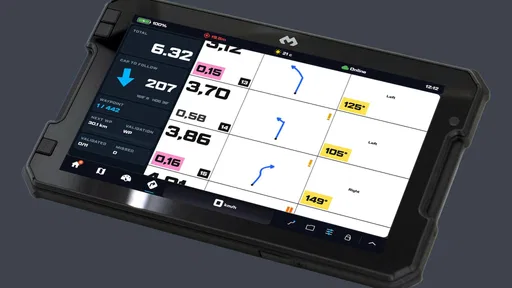
I judge a motorcycle navigation app differently from a photo editor: the important questions are whether I can read it at a glance, set it up before setting off, and rely on its layout without fiddling with a phone in motion. DMD2 is built around that riding context, bringing navigation together with dashboard-style tools rather than treating a motorcycle trip like an ordinary car journey. That focus is appealing, though it also means the app asks more of a new user than a simple map with a destination box.
Designed around the ride
I find that DMD2 makes the most sense when I think about the whole ride rather than just the route: what I need to check, where the phone sits, and how quickly I can glance at it. This section looks at that riding-first approach and why setting priorities before departure can make a more specialized screen easier to use. Next, I’d consider how the same setup feels for different hands, eyes and riding habits.
Readability before the engine starts
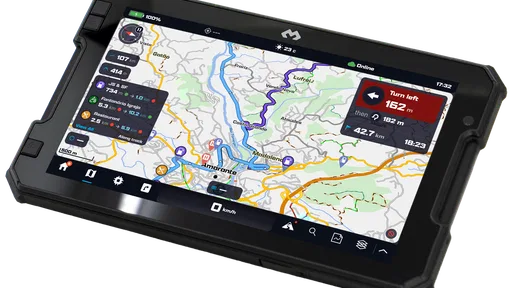
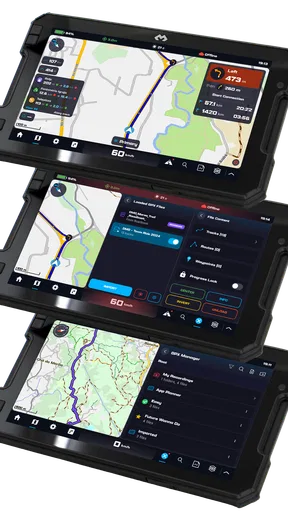
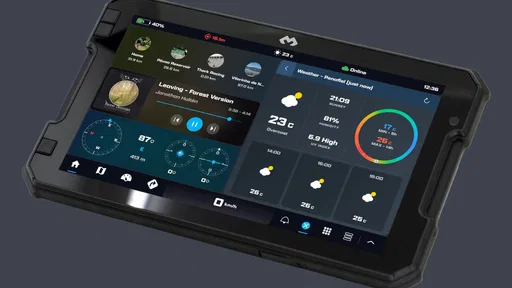
DMD Navigation has made DMD2 for riders who want their phone to serve as a motorcycle dashboard and navigation aid. The app’s navigation, roadbook and OBD capabilities point to a broader role than turn-by-turn directions alone. In practice, I’d approach it as a configurable riding workspace: decide what you need to see, prepare it before leaving, and keep interaction to a minimum once the bike is moving.
That distinction matters when comparing it with familiar map apps. A general-purpose navigation app is usually quicker for a one-off trip across town, especially if all I need is a route and an estimated arrival. DMD2 makes more sense when I want a motorcycle-oriented screen and expect to use the phone repeatedly on rides. The trade-off is setup: riders who prefer a ready-made, uncluttered map may find a dedicated dashboard approach more involved than they need.
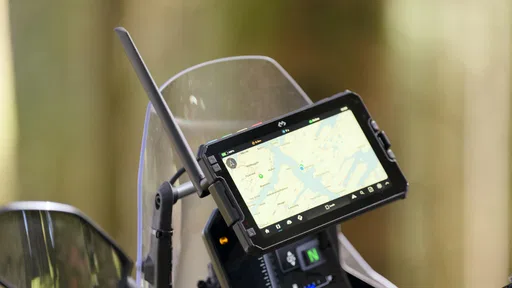
For readability, I would test the display while parked and mounted where it will actually be used. A route that looks clear in a hand-held preview may be harder to scan under glare, vibration or a quick glance. I’d also avoid trying to interpret a crowded screen while riding. A useful rule is to keep the information I need most prominent and leave optional details for stops; a dashboard is only helpful if its layout reduces distraction instead of inviting more tapping.
Different hands, eyes and riding habits
Motorcycle use brings practical accessibility questions that don’t arise in the same way at a desk. Gloves can make small touch targets awkward, and riders with limited reach, dexterity or vision may need a simpler layout and more time to configure it. I wouldn’t assume a phone interface is comfortable for every rider just because its menus seem straightforward indoors. Try the controls while stationary, with the gloves you actually ride in, and check whether you can read the key information without leaning toward the screen.
There is also a sensory trade-off. A screen can be useful when spoken directions are difficult to hear over wind or helmet noise, but it still requires visual attention. If looking down is uncomfortable or unsafe for you, a screen-led setup may not be the right solution. I’d plan the route before leaving and treat the display as a brief cue, not something to follow continuously. Riders who need larger text, simplified visuals or a different form of guidance should check the app on their own device and mount before relying on it for a demanding trip.
Getting ready for different kinds of trip
A short familiar ride and a day exploring unfamiliar roads call for different preparation. For a daily commute, I’d keep the configuration focused on navigation and avoid spending time adjusting optional dashboard details. For a longer outing, roadbook and dashboard functions may be more relevant, particularly if I want a riding-focused setup rather than switching between unrelated apps. OBD support can also interest riders who already use compatible motorcycle diagnostics, but I’d treat it as a specific part of the setup rather than assume every rider needs it.
A realistic routine would be to choose the route and arrange the display at home, mount the phone securely, then check visibility and touch access while parked. If a road closure or a change of plan comes up, pull over before editing the route. This is both a safer workflow and a way to avoid the frustration of discovering halfway through a ride that the screen is hard to read or the controls are awkward with gloves. It’s worth making a short local test ride before trusting a new configuration on a long journey.
What to expect from the app and its model
DMD2 is free to install and is rated for Everyone, so there’s no purchase hurdle just to try its basic approach. It has a 4.0 average from around 1,200 ratings and more than 100,000 installs. The current version is 3.00265, and it runs on Android 7.0 or later. In-app purchases range from $3.49 to $134.99 per item, so I’d explore what is included and what a particular rider actually needs before spending money. Those optional costs are easier to judge after confirming that the interface suits your bike, phone and riding style.
There are several questions I’d settle before making it my regular setup. Does the screen remain legible at the position and angle of your mount? Can you operate the controls with your riding gloves while stationary? Do you want a dashboard and roadbook workflow, or just straightforward directions? And, if OBD features matter to you, does your existing equipment fit the setup you have in mind? Answering those questions during a short trial is more useful than choosing based only on a feature list.
For an ordinary car trip, or a rider who only needs occasional directions, a familiar general-purpose map app will probably be faster to learn. DMD2 is the more interesting choice when the motorcycle itself shapes how you want navigation presented, and when you are willing to spend time configuring the screen. The difference is not simply more features: it is a more specialized way to organize information, which can be a benefit for a regular rider and unnecessary complexity for everyone else.
Limits worth considering
The main friction is the same thing that gives DMD2 its appeal: there is more to think about than entering an address and following a basic map. A rider who dislikes customization may see setup as a chore, and a phone that is difficult to view on a particular bike can make any dashboard-style app less useful. I would not wait until departure to learn the interface, experiment with layouts or sort out a connection to other equipment. Those tasks belong at home, where there is no pressure to keep moving.
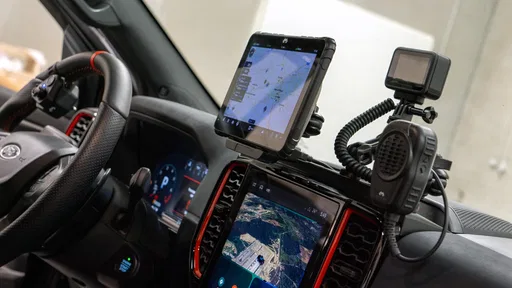
It’s also important not to confuse an app with a complete riding setup. The phone still needs a suitable, secure mounting position, and the rider has to decide what can be checked safely at a glance. More displayed information is not automatically better; extra detail can compete with the route for attention. My practical advice is to start with the simplest arrangement that supports the ride, then add only the functions you genuinely use.
Who will get the most from it
I’d recommend giving DMD2 a try if you ride often, want navigation to feel more connected to the motorcycle, and are comfortable preparing a screen configuration before a trip. It is particularly worth considering for someone who wants a riding dashboard alongside route guidance and has a clear reason to use roadbook or OBD capabilities. A commuter may value a consistent setup, while a touring rider may appreciate having a more specialized environment for longer outings.
I’d skip it, or keep a simpler map app as my main choice, if I only navigate occasionally, prefer minimal setup, or can’t comfortably read and operate a phone on the bike. The same applies if a screen-based approach doesn’t fit your visual or sensory needs. There is no advantage in adopting a motorcycle-focused interface if it makes your own riding less comfortable; test it in safe, stationary conditions and choose the arrangement that lets you concentrate on the road.
My verdict for riders
My view is that DMD2 is best understood as a specialized motorcycle tool, not a universal replacement for every navigation app. Its combination of navigation, roadbook and dashboard-oriented functions gives regular riders a reason to explore it, but the value depends on a good fit between the interface, the bike, the phone mount and the rider. I would start with a short, familiar route, keep the screen simple, and only expand the setup once the essentials feel natural.
If you want uncomplicated directions with almost no preparation, another map app is likely the easier choice. If you want to shape a phone-based riding display around how you travel, DMD2 is worth testing. I like that its purpose is clearly tied to motorcycle use, but I’d make the decision based on real visibility and comfort rather than the promise of having more information on screen. The right setup should support the ride quietly, not compete with it.
Have you ever found yourself scrolling through your phone, looking for something to spice up your photography game? Well, let me tell you, I stumbled upon this gem called DMD2, and it's been nothing short of a revelation. This app is designed to take your photo editing experience to a whole new level, and trust me, it does just that.
Getting Started with DMD2
First off, downloading DMD2 was a breeze. It’s available on both Android and iOS, and the installation process was as smooth as silk. Once you open the app, you're greeted with a sleek and intuitive interface that’s super easy to navigate. No clunky menus or confusing options here. Everything is laid out in a way that's straightforward, which I totally appreciate.
As I started exploring, I found the app offers a plethora of features that cater to both amateur and professional photographers. Whether you’re just looking to tweak your selfies or create stunning, professional-quality images, DMD2 has got you covered.
Features That Stand Out
One of the first things I noticed was the incredible range of filters and effects. Seriously, it’s like having a professional editing suite right in your pocket. You can adjust everything from brightness and contrast to hue and saturation with just a few taps. The filters are not just your run-of-the-mill presets; they’re crafted to give your photos a distinctive edge.
Then there’s the collage maker. Oh boy, is it fun to use! You can seamlessly stitch together your favorite photos, and the app provides a variety of layouts to choose from. It’s perfect for those Instagram-worthy moments when you want to showcase multiple shots in one frame.
Usability and Performance
Now, let’s talk about performance. I’ve used quite a few photo editing apps in my time, and nothing kills the vibe more than an app that crashes or lags. Thankfully, DMD2 is as stable as they come. I experienced zero crashes or slowdowns, even when working with high-resolution images. It’s clear that the developers have put a lot of effort into optimizing the app.
Another aspect I love is how lightweight the app is. It doesn’t take up much space on your device, which is a huge plus for those of us constantly battling storage issues. And despite its lightweight nature, it packs a punch with the variety of tools and features it offers.
Community and Support
Let’s not forget the community aspect. DMD2 offers a platform where you can share your creations and get inspired by the works of others. It’s a vibrant community of photography enthusiasts who are more than willing to share tips and tricks. Plus, the support team is extremely responsive. I had a minor issue and they were quick to assist, which I found impressive.
Conclusion
So, what’s the final verdict? If you’re on the hunt for a powerful yet user-friendly photo editing app, DMD2 is definitely worth checking out. It’s packed with features that will transform your photos and give you the creative freedom to experiment and express yourself. Whether you’re editing for personal use or professional projects, DMD2 won’t disappoint.
And there you have it! My experience with DMD2 has been nothing short of fantastic. If you’re curious, go ahead and download it. Give it a whirl and let your creativity run wild. You might just find your new favorite app.
Verdict
Strengths of DMD2
- Intuitive user interface for easy navigation.
- Wide range of editing tools and effects.
- Supports high-resolution image exports.
- Regular updates with new features.
- Compatible with multiple file formats.
Limitations of DMD2
- In-app purchases can be expensive.
- Occasional crashes on older devices.
- Limited free features available.
- Requires significant storage space.
- No cloud sync for project files.
Similar Picks in This Category
View All
Uber - Request a ride
Uber Technologies, Inc.4.7


inDrive. Rides with fair fares
® SUOL INNOVATIONS LTD4.8

Yandex Go: Taxi Food Delivery
Mikromobilnost LLC Belgrade4.8

Bolt: Request a Ride
Bolt Technology4.8

Rapido: Bike-Taxi, Auto & Cabs
Rapido Bike Taxi4.8
Frequently Asked Questions
What is DMD2 and what features does it offer?
DMD2, or Digital Multi-Device 2, is an app designed to enhance multimedia experiences on both Android and iOS devices. It offers features such as advanced photo editing tools, seamless video playback, and customizable user interfaces. Users can also enjoy cross-platform compatibility, ensuring smooth interaction across different devices.
Is DMD2 free to use or does it require a subscription?
DMD2 is available as a free download with basic features accessible to all users. However, for advanced functionalities and an ad-free experience, a subscription is required. The subscription options include monthly and annual plans, providing flexibility based on user preferences and needs.
What are the system requirements for installing DMD2?
To install DMD2, Android users need a device running Android 8.0 or higher, while iOS users require a device with iOS 12.0 or later. The app is optimized for both smartphones and tablets, ensuring a versatile experience regardless of the device used.
How user-friendly is the DMD2 interface?
DMD2 is designed with user-friendliness in mind, featuring an intuitive interface that makes navigation straightforward. The app offers a well-organized layout, with clear icons and labels, making it suitable for users of all technical levels. Additionally, it provides customizable settings to tailor the experience to individual preferences.
What kind of support does DMD2 offer if I encounter issues?
DMD2 provides comprehensive support through in-app help sections, FAQs, and tutorials. Users can also reach out to customer support via email or live chat for personalized assistance. The support team is known for its responsiveness and dedication to resolving user issues promptly.
